Receipt Software
for Small Business Compared
TL;DR: If you use QuickBooks Online, Xero or FreshBooks, try their built-in receipt scanning first; it's included (FreshBooks from the Plus plan). If you want receipts and supplier bills read into your books with line items, BillBjorn starts at US$6.50 a month. For employee expense reports, choose Expensify or Zoho Expense (free for up to 3 users). If you'd rather mail your paper and have someone else scan it, Shoeboxed does that.
Last updated: November 15, 2026. Prices are list prices in USD, excluding tax, from each vendor's website on November 15, 2026. Introductory discounts aren't shown.
A note on bias: BillBjorn wrote this article, and BillBjorn is on the list. We used each vendor's own pricing and help pages, and we say where another tool fits better.
Receipt software at a glance
| Software | Best for | Price | What it does with receipts |
|---|---|---|---|
| BillBjorn | Receipts and supplier bills into your accounting software | From US$6.50/mo for 50 documents | Reads every field and line item, codes it and creates the bill or expense in QuickBooks Online, Xero, Sage, MYOB or FreshBooks |
| QuickBooks Online | QBO users with a few receipts | Included with QBO | Reads date, amount, vendor and card digits; you review each in the Receipts tab |
| Xero | Xero users with a few bills | Included (Smart Document Capture) | Creates draft bills you approve; expense claims need the Established plan |
| FreshBooks | FreshBooks users | Plus plan and up (Plus US$43/mo) | Scans expense receipts; not on Lite |
| Wave | Wave users | Receipts plan US$8/mo, or Pro US$19/mo | Mobile receipt scanning; not on the free Starter plan |
| Expensify | Teams with expense reports | Collect US$5 per member/mo | SmartScan, reports, approvals, reimbursements |
| Zoho Expense | Small teams on a budget | Free up to 3 users (20 autoscans) | Expense reports with receipt autoscan |
| Shoeboxed | Paper you want scanned for you | Starter US$9/mo, 50 digital scans | Scans your app uploads, plus paper you mail in a Magic Envelope |
How to choose receipt software
- Do you mainly need your books updated, or expense reports? If you pay costs yourself, you want receipts turned into accounting entries. If employees spend and get reimbursed, you need expense software with reports and approvals.
- Is a receipt enough, or do you also get supplier bills? Most businesses get both. Tools built for bills read line items and due dates, not just a total.
- Which accounting software do you use? The best receipt software creates the entry there directly, coded to your own accounts and with the image attached.
- How do receipts reach you? Paper in your wallet needs a mobile app; emailed receipts need a forwarding address; stacks of paper need a scanner or a scanning service.
- How many a month? Built-in tools are fine for a handful. At dozens a month, automatic coding and fewer clicks per receipt start to matter.
1. BillBjorn: best for receipts and bills into your accounting software
BillBjorn reads receipts and supplier bills with AI and creates them in QuickBooks Online, Xero, Sage Accounting, MYOB Business or FreshBooks, with the image attached.
- Every way in: the BillBjorn app for iPhone and Android, a forwarding email address for each company, upload, and desktop scanning with Scan2Invoice.
- Reads more than the total: vendor, dates, invoice number, tax and, from the Small plan, every line item, coded to your accounts.
- Rules per supplier, so regular vendors are coded the same way every time. From the Medium plan, Auto-Send can send routine bills without review, after checking each one.
- Pricing: Solo US$6.50/month for 50 documents, Small US$13 for 250, Medium US$26 for 1,000, Large US$65 for 2,500 (over 20% less billed yearly). Unlimited users. 30-day free trial, no credit card.
Where it falls short: no employee expense reports, reimbursements or company cards. If that's your main need, look at Expensify or Zoho Expense.
2. QuickBooks Online receipt capture: best if you're on QuickBooks and have a few receipts
Forward receipts to your QuickBooks email address or upload them, and QuickBooks reads the date, amount, vendor and last four card digits. Each one lands in the Receipts tab, where you add the account and create the transaction or match it to a bank transaction.
Where it falls short: header fields only, and every receipt is reviewed by hand. See QuickBooks receipt scanner: built-in vs AI OCR tools.
3. Xero Smart Document Capture: best if you're on Xero
Smart Document Capture is included on Xero's US Early, Growing and Established plans (US$27, US$59 and US$97 a month at list price). It turns the bills you send in into draft bills that you approve. Employee expense and mileage claims, with receipts, are only on Established.
Where it falls short: every draft is approved one at a time. See the best bill capture apps for Xero.
4. FreshBooks receipt scanning: best if you're on FreshBooks
FreshBooks scans expense receipts in its mobile app on the Plus (US$43 a month), Premium (US$70) and Select plans, for users in the US, Canada and the UK. Lite doesn't include it. Premium adds bill receipt scanning with line items.
Choose it if you already pay for Plus or above. For supplier bills with line items on any FreshBooks plan, see BillBjorn for FreshBooks.
5. Wave: best if you're on Wave
Wave's free Starter plan doesn't include receipt scanning. You need the Receipts plan (US$8 a month, or US$72 a year) or Pro (US$19 a month, or US$190 a year), which includes it along with Wave's other paid features.
Choose it if your books are in Wave and the Receipts plan is all you need.
6. Expensify: best for teams with expense reports
Expensify's Collect plan is US$5 per member a month, billed monthly, and covers receipt SmartScan, expense reports, approvals and reimbursements, with QuickBooks Online and Xero integrations. Workspaces created before April 1, 2025 may be on older pricing.
Where it falls short: it's built around employee expenses, not supplier bills, and the cost grows with every member.
7. Zoho Expense: best free option for a small team
Zoho Expense has a free plan for up to 3 users with 20 receipt autoscans, 5 GB of receipt storage and accounting integrations. Standard costs US$3 per user a month billed yearly (US$4 monthly), and Premium US$5 (US$6 monthly).
Where it falls short: 20 autoscans won't go far, and like Expensify it's built for expense reports rather than supplier bills.
8. Shoeboxed: best if you want someone else to scan your paper
Shoeboxed scans receipts you upload in its app and also offers a Magic Envelope: you mail your paper receipts and Shoeboxed scans them for you. Starter is US$9 a month (US$97 a year) for 50 digital scans a month, 20 paper scans a year and one envelope a year; Pro is US$29 a month for 250 digital and 50 paper scans a month.
Where it falls short: your card is charged at signup (refundable within 30 days), and paper scanning allowances are small on the cheaper plans.
Receipts on paper? Scan them in batches
If paper piles up faster than you can photograph it, a desktop document scanner is quicker than a phone. Load the stack, press scan once, and let the software split it into separate receipts and bills. Our sister product Scan2Invoice has a step-by-step guide: how to scan paper invoices.

Stop Typing Receipts and Bills
Snap, forward or scan your receipts and bills. BillBjorn fills in every field and creates them in your accounting software. No credit card required.
Start Your Free 30-Day TrialReceipt App
Snap Receipts on the Go
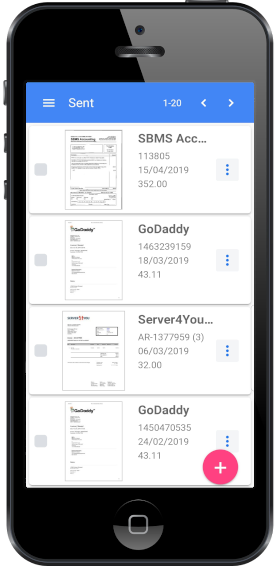
Take a photo of a receipt and BillBjorn reads it, codes it and sends it to your accounting software. Available for iPhone and Android.



Frequently asked questions
Common questions about receipt software for small business. For setup help, visit our knowledge base.
What is the best receipt software for a small business?
If you already use QuickBooks Online, Xero or FreshBooks, start with their built-in receipt scanning. If you need receipts and supplier bills read into your accounting software with line items, BillBjorn starts at US$6.50 a month. For employee expense reports, Expensify (US$5 per member a month on Collect) or Zoho Expense (free for up to 3 users) fit better. If you want someone to scan paper for you, Shoeboxed's Magic Envelope does that.
Is there free receipt software for small business?
Zoho Expense has a free plan for up to 3 users with 20 receipt autoscans. QuickBooks Online and Xero include basic receipt capture in their subscriptions. Wave's free Starter plan doesn't include receipt scanning; that needs the Receipts plan or Pro.
What's the difference between receipt software and expense software?
Receipt software reads receipts and bills and records them in your books. Expense software adds employee expense reports, approvals, reimbursements and company cards. A business owner who pays most costs directly usually needs the first; a team with reimbursable spending needs the second.
Can I throw away paper receipts after scanning them?
Often, yes, if the digital copy is clear, complete and retrievable, but the rules depend on your country. In the US, IRS Rev. Proc. 97-22 covers electronic storage of records. Check with your accountant before shredding.
Is this comparison neutral?
BillBjorn wrote it, so we're not neutral. We used each vendor's own pricing and help pages, checked on November 15, 2026, and we say where another tool fits better.