Powerful
Features to Simplify Invoice Processing
Automated Invoice Scanning
How does it work?
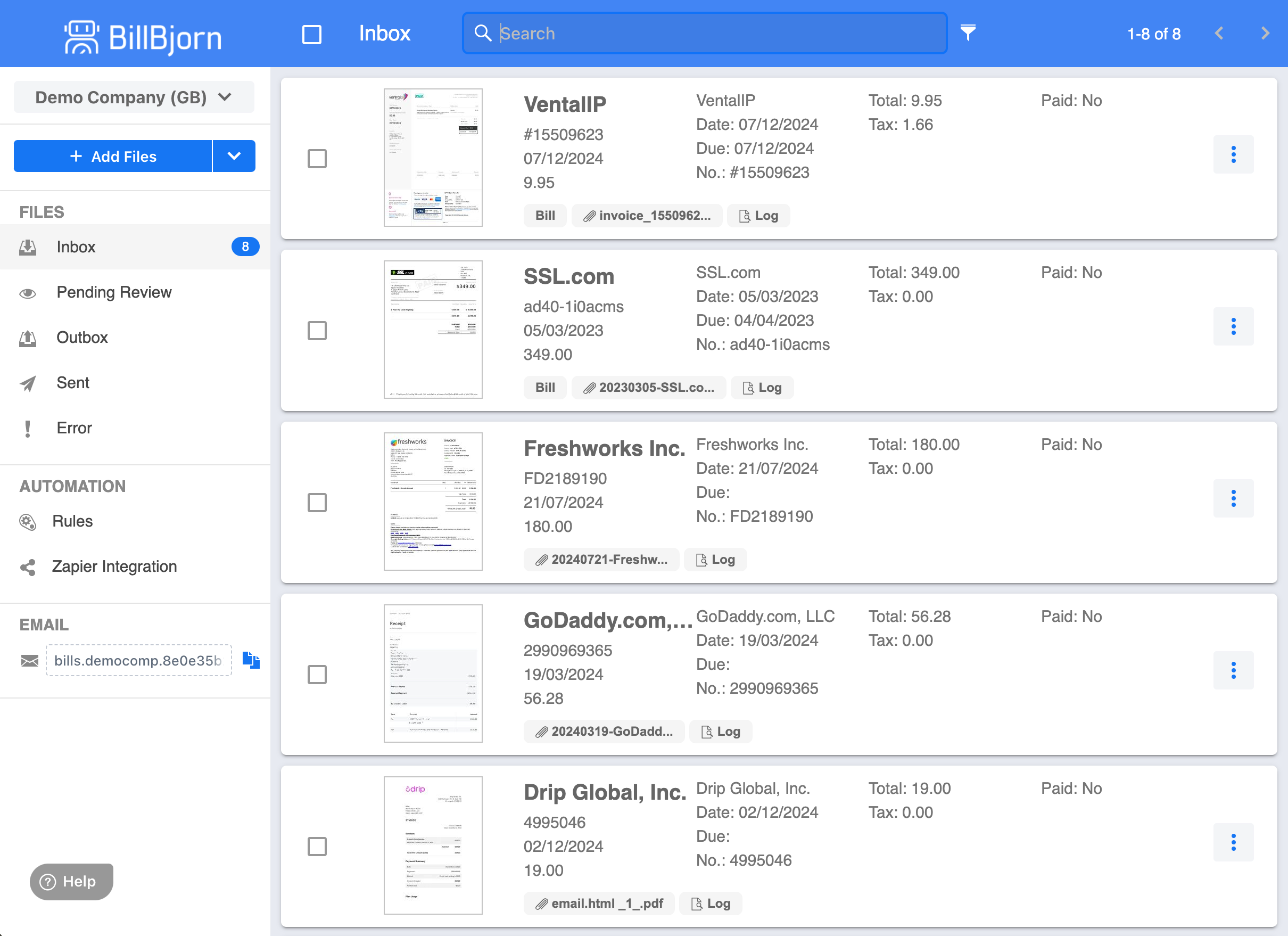
BillBjorn provides a streamlined view of all your invoices, complete with thumbnail previews for quick identification and key invoice details displayed at a glance. Process invoices in 3 easy steps, or forward them straight from Gmail or Outlook.
- Forward Invoices
- Forward emails, upload a file or snap pictures with the mobile app.
- Extract Data
- BillBjorn will automatically extract the invoice data in seconds.
- Export
- Export the data directly to your connected accounting software with the click of a button.
Side-By-Side View
Review Faster with Side-by-Side View
The review split screen allows you to easily review and approve data. The document viewer is located next to the data panel.
- Faster Review & Approval
- Eliminate unnecessary clicks and tab switching. The split-screen layout lets you instantly compare document data and approve it in seconds.
- Improved Accuracy
- With the document viewer right next to the data panel, you can easily cross-check details, reducing errors and ensuring data integrity.
- Seamless Workflow
- Stay focused and efficient with everything in one place. No more jumping between screens - just a smooth, streamlined review process.


Put Your Bookkeeping on Autopilot
Say goodbye to manual data entry and let your books balance themselves. Our smart, automated solution saves you time, reduces errors, and keeps your finances in perfect order - effortlessly.
Start Your Free 30-Day Trial NowMobile App
Your Business in Your Pocket
The BillBjorn mobile app empowers you to manage your bills and receipts anytime, anywhere. Snap pictures of receipts on the go and upload them directly to the BillBjorn cloud for seamless processing. Effortlessly review, approve, and send documents to your connected accounting software - all from the convenience of your mobile device.


AI Powered Data Extraction
AI-Powered Data Extraction with Customizable Rules
BillBjorn’s AI automatically extracts key invoice details, saving you time and reducing manual entry errors. If the AI misses something, you have full control with rule-based templates, so results stay consistent for your regular suppliers.
- Save Time
- AI automates data extraction, cutting down manual entry.
- Ensure Accuracy
- Customize extraction with rules for precise results.
- Stay Flexible
- AI efficiency with full control when you need it.

Auto-Send
Send Routine Bills Without Reviewing Each One
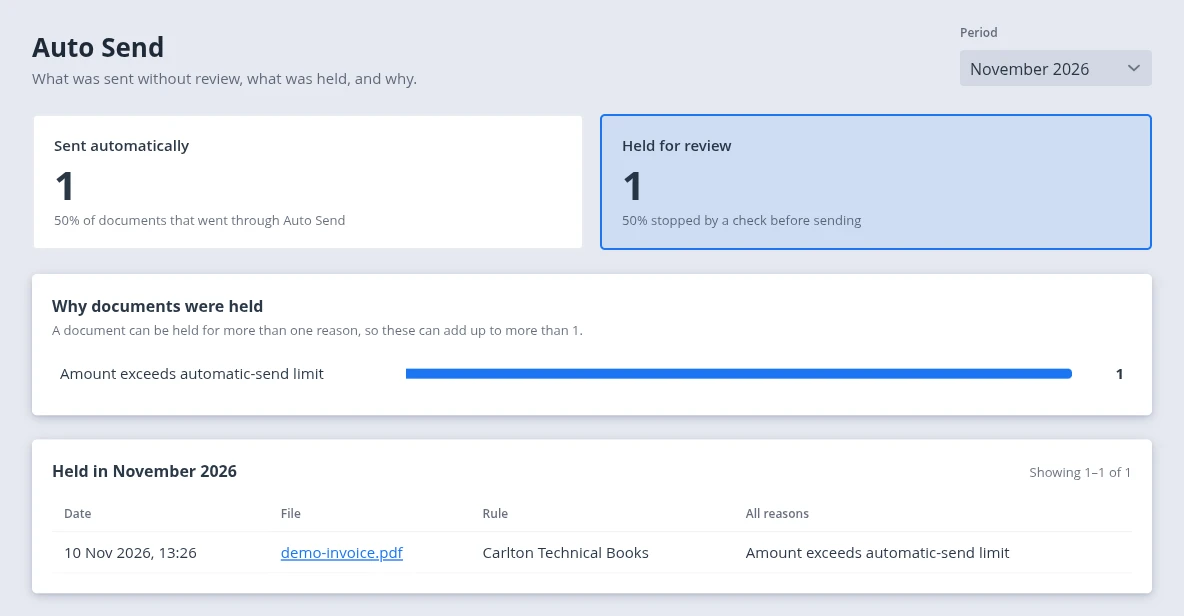
Switch on Auto-Send for your regular suppliers and only review the bills that need you. See how Auto-Send works.
- Every Bill Checked
- 15 checks on every bill: supplier, totals, accounts, tax codes, your limit, and duplicates.
- Sent Automatically
- Bills that pass go straight to your accounting software, with no clicks.
- Exceptions Held
- Anything unusual waits for you, with an email explaining why.