AI Invoice Data Entry & Automation
Supplier bills that enter themselves in your accounting software.
BillBjorn reads every bill with AI, codes each line to your accounts, and sends the routine ones straight to your accounting software. Bills that need attention wait for you, with the reason.
No credit card required · Auto-Send included in the trial
- No typing: supplier, dates, number, totals and line items
- Coded to your accounts, with the original PDF attached
- Every bill checked before it reaches your books
- 4.8/5 on the QuickBooks App Store
- 4.9/5 on the Xero App Store
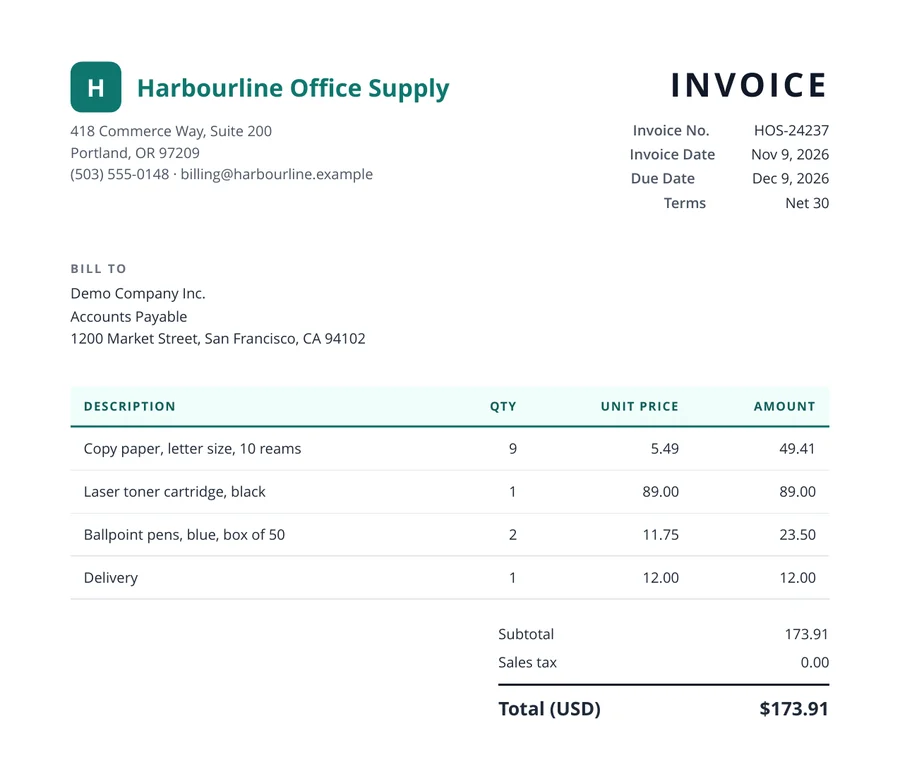
- Read by AI
- Coded to your accounts
- Safety-checked
- Sent to QuickBooks
 Sent by Auto-Send · 0 clicks
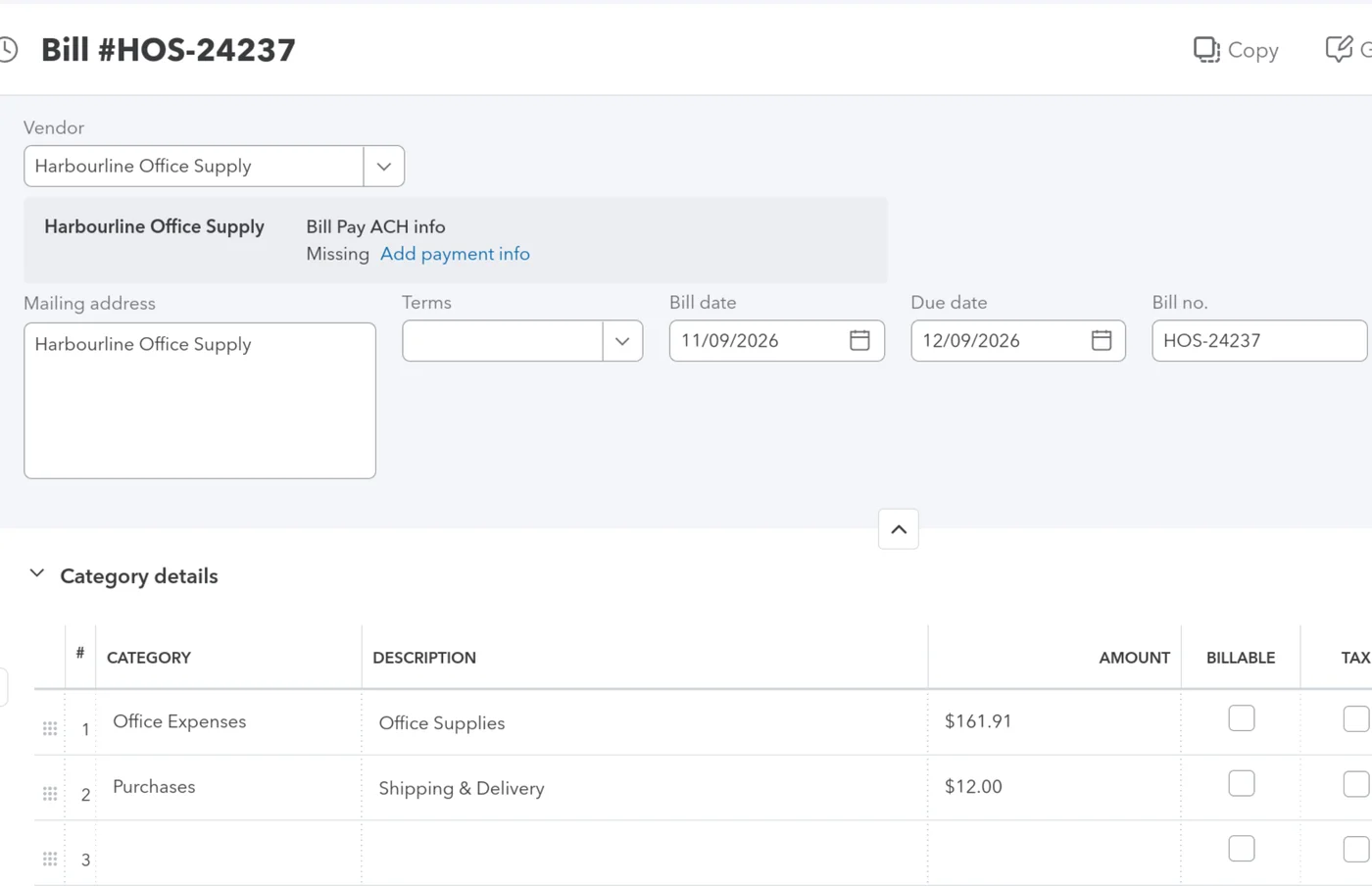
Shown with QuickBooks Online. Also works with Xero, Sage Accounting, MYOB Business and FreshBooks.
Trusted Partner App for Leading Cloud-Based Accounting Software

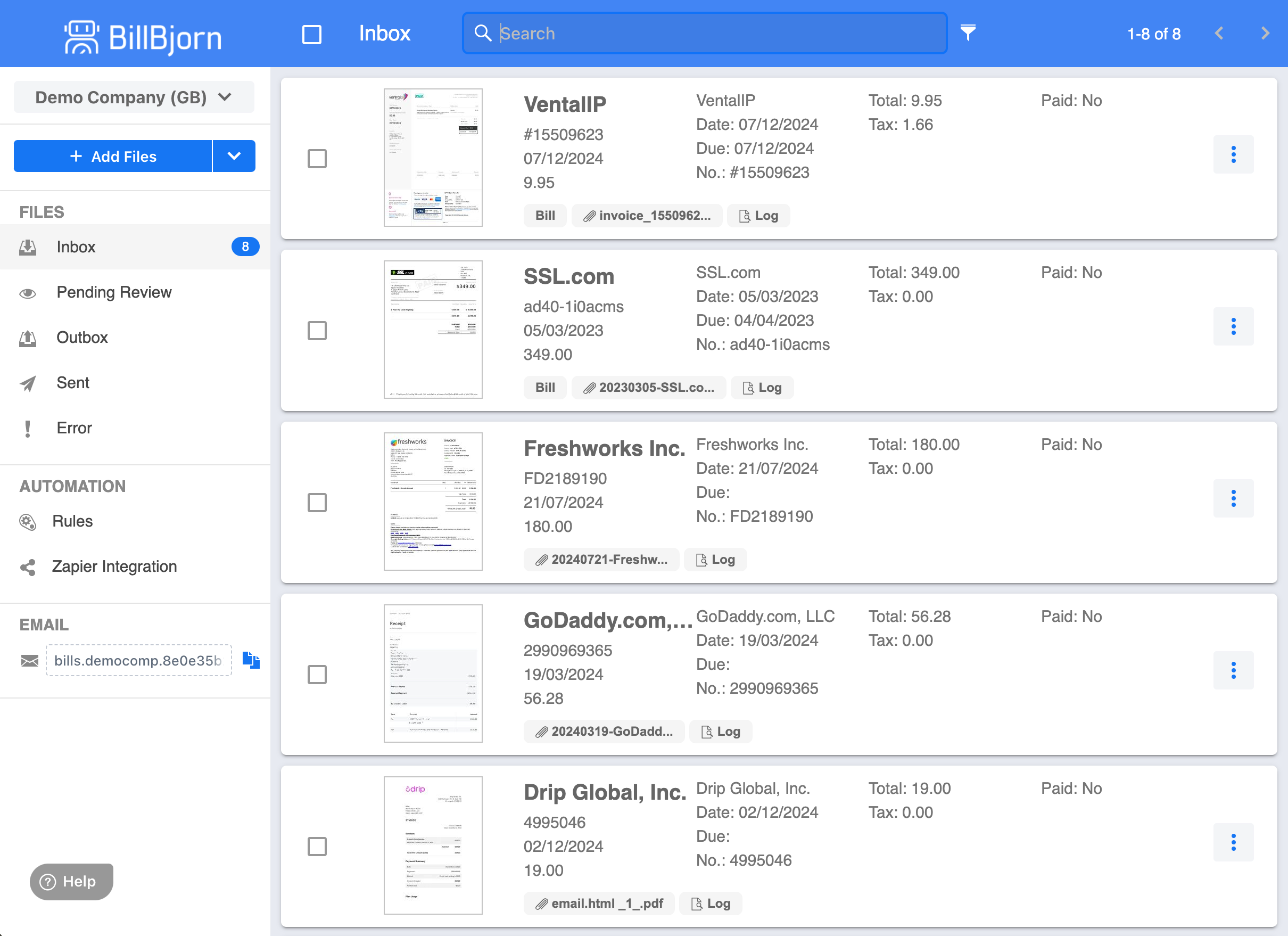
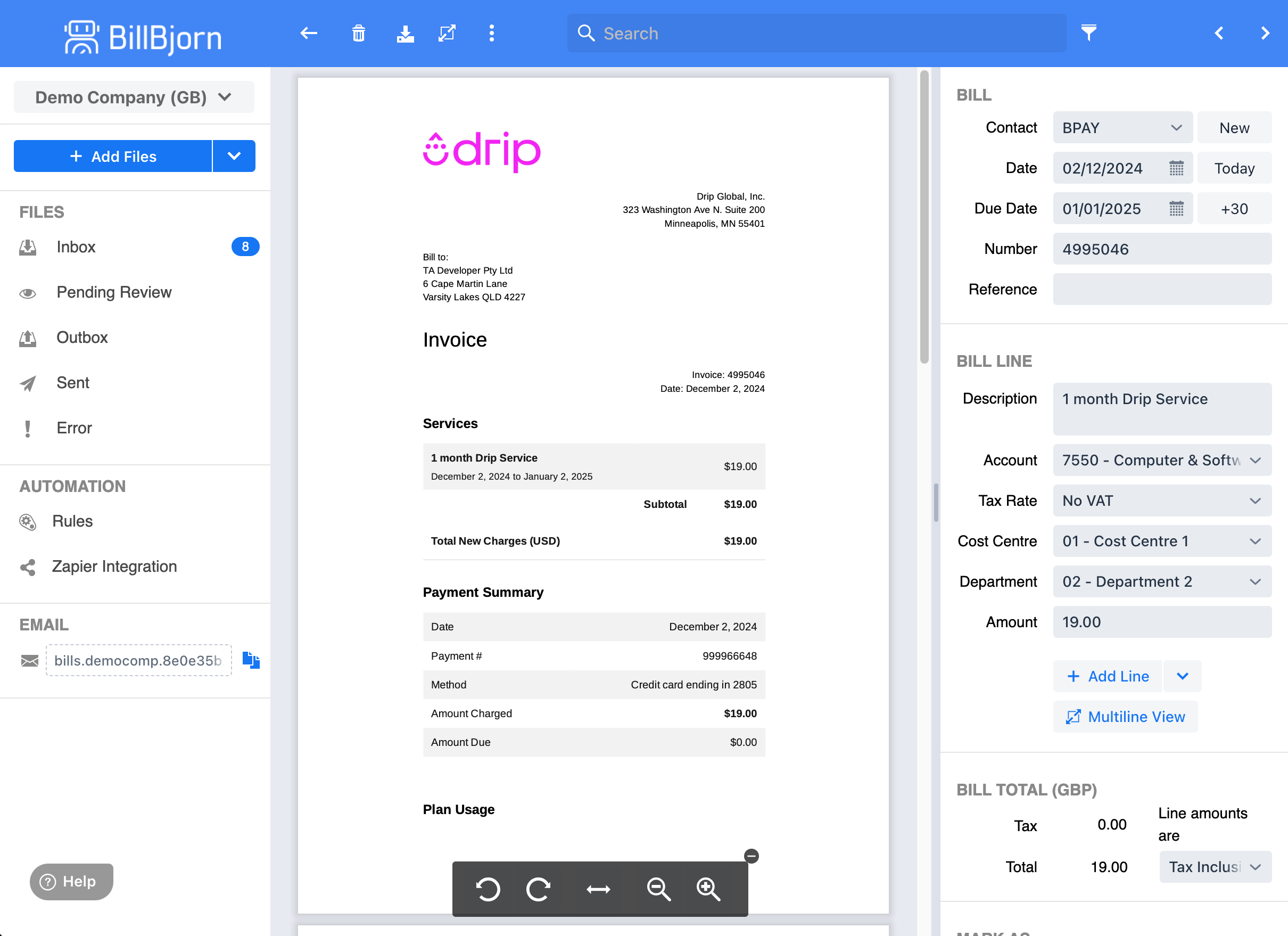
Everything in one inbox
Every bill and receipt in one list, checked next to the original and sent to your accounting software in one click. Still comparing tools? Read our guide to the best invoice scanning software.
The inbox provides a streamlined view of all your invoices, complete with thumbnail previews for quick identification and key invoice details displayed at a glance.
Auto-Code
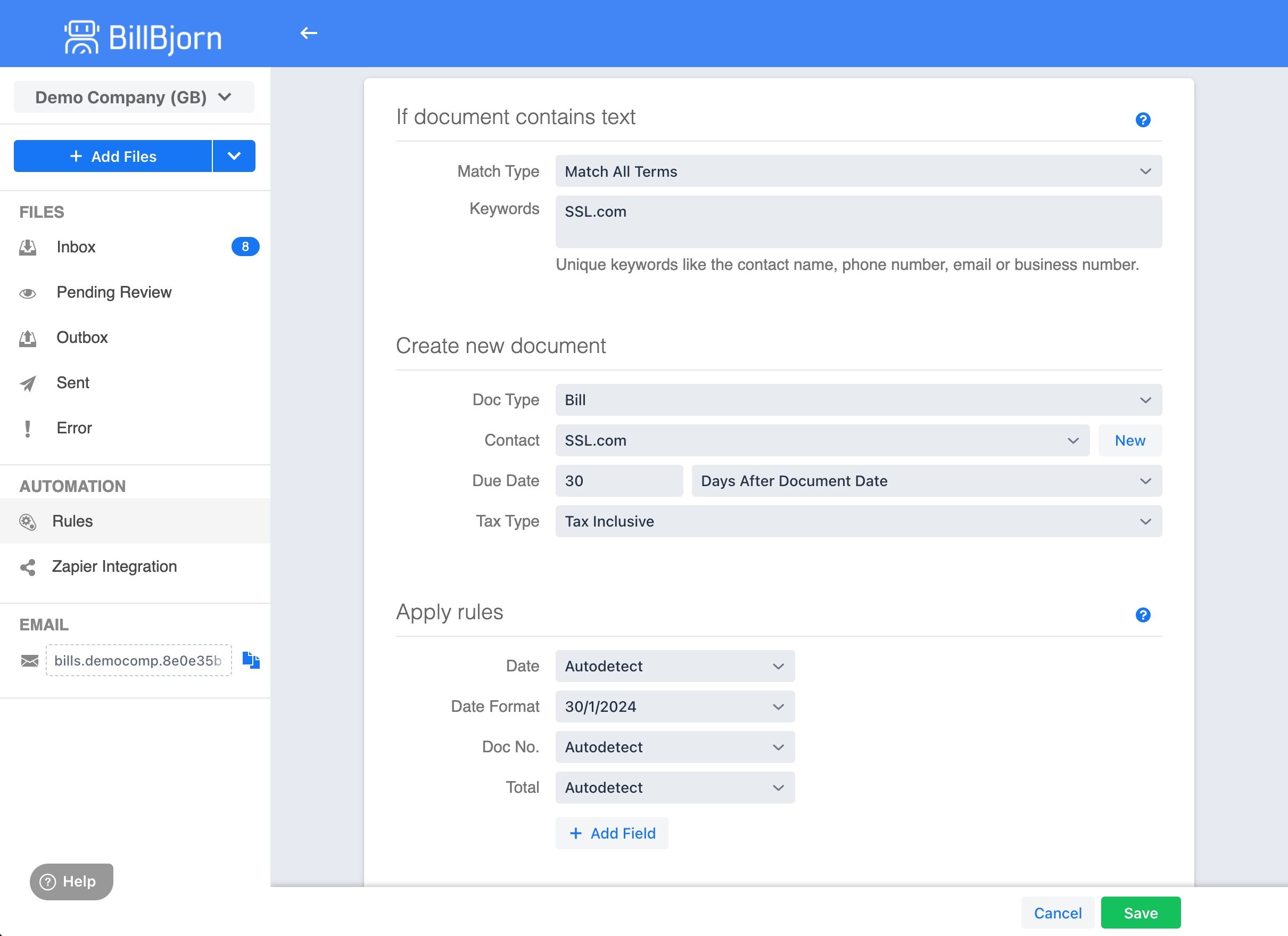
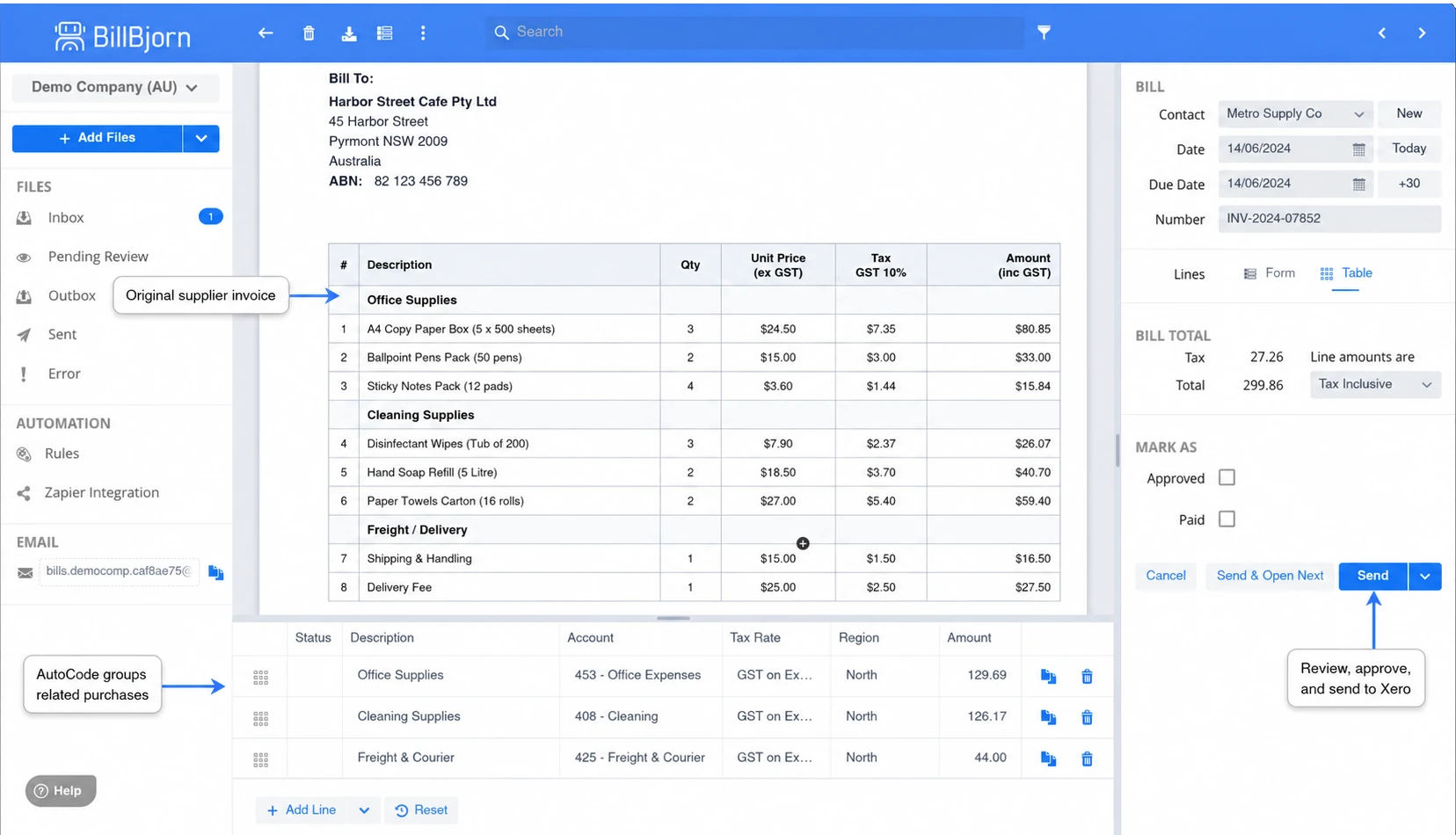
Line items grouped the way you book them
Most tools either copy every invoice line into your books or lump the bill into one account. BillBjorn reads every line and groups it into your own categories, so a 40-line supplier invoice becomes a few clean, coded lines.
- Your categories, each with its account and tax code
- AI Matching Hints in your own words decide where each line goes
- Lines that fit no category are flagged, never guessed
- Works with QuickBooks Online, Xero, Sage Accounting, MYOB and FreshBooks
Auto-Send
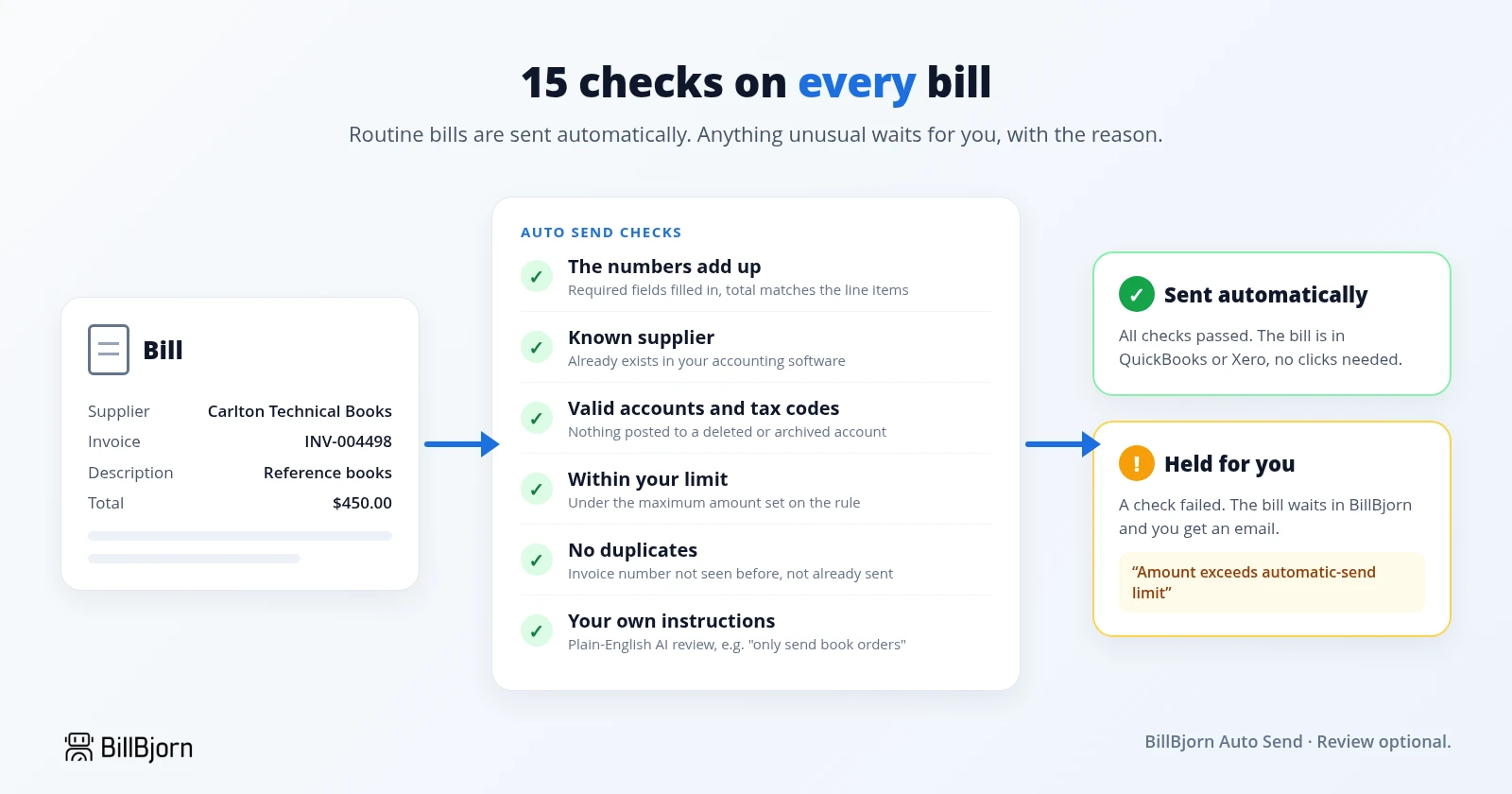
Routine bills go straight through. Exceptions wait for you.
Switch on Auto-Send for predictable suppliers and their bills reach your accounting software without anyone opening them, but only after every safety check passes.
- A maximum amount per supplier, and new suppliers are never sent automatically
- Possible duplicates, unmatched lines and validation warnings are held
- An independent AI review on every bill; sent only when it is highly confident
- An Auto-Send report and audit log show what was sent, what was held and why
Rated 4.8 Stars: Why BillBjorn is a QuickBooks Online Favorite!
BillBjorn is a top-rated app on the QuickBooks Online App Store , with 4.8 out of 5 stars from 59 glowing reviews. Accountants, bookkeepers and small business owners on what changed after they stopped typing bills.
Added the level of simplicity and transparency we were looking for. Very accurate, alleviated the manual entry into QBO without all the bells and whistles that we did not need. Works great.
We have tested multiple similar systems but this one seems to work easier and faster than the others. The price is also very fair.
Great app, thank you. A lot more accurate than QBO’s built-in receipt processing function, and way cheaper than Dext. Try it and you won't look back!
Even as a standalone product it would be great, but its integration with QuickBooks Online elevates it to a must-have for any business. It knows your customers and codes through the QBO integration, is intuitive to use, and makes the inputting process of invoices so much faster and more accurate. Highly recommend!
OwenbeeIt is good and saves time. Works well. Some minor adjustments have to be done manually, but totally worth the purchase. Easy to use. Good integration, works well.
IsoraRentalsScanning in our invoices and putting them to either bills or expenses. Being able to add detail as needed. It's easy, accurate, and a great resource to save time and increase accuracy in your accounting processes.
Get Your BillBjorn Email Address
Every company gets its own invoice email address. Ask suppliers to send bills there, or forward them automatically from Gmail and Outlook. No credit card required.
Start your free 30-day trialMore time saved
The details that make it work every day
Small things decide whether bills really enter themselves. These are built in.
Duplicate detection
Invoices that match another from the same supplier by number, or by date and total, are flagged before they reach your books.
Mixed GST and VAT
Receipts with taxable and tax-free items are split automatically, and each Auto-Code category carries its own tax code.
Any field, by its label
Capture PO numbers, job numbers or registrations by the label printed on the invoice, and map them to your accounting fields.
No outsourcing
Documents are read by AI over encrypted connections. No call centres and no people typing up your invoices.
Documents, not credits
An invoice counts as one document however many pages or lines it has, with unlimited users on every plan.
Every way in
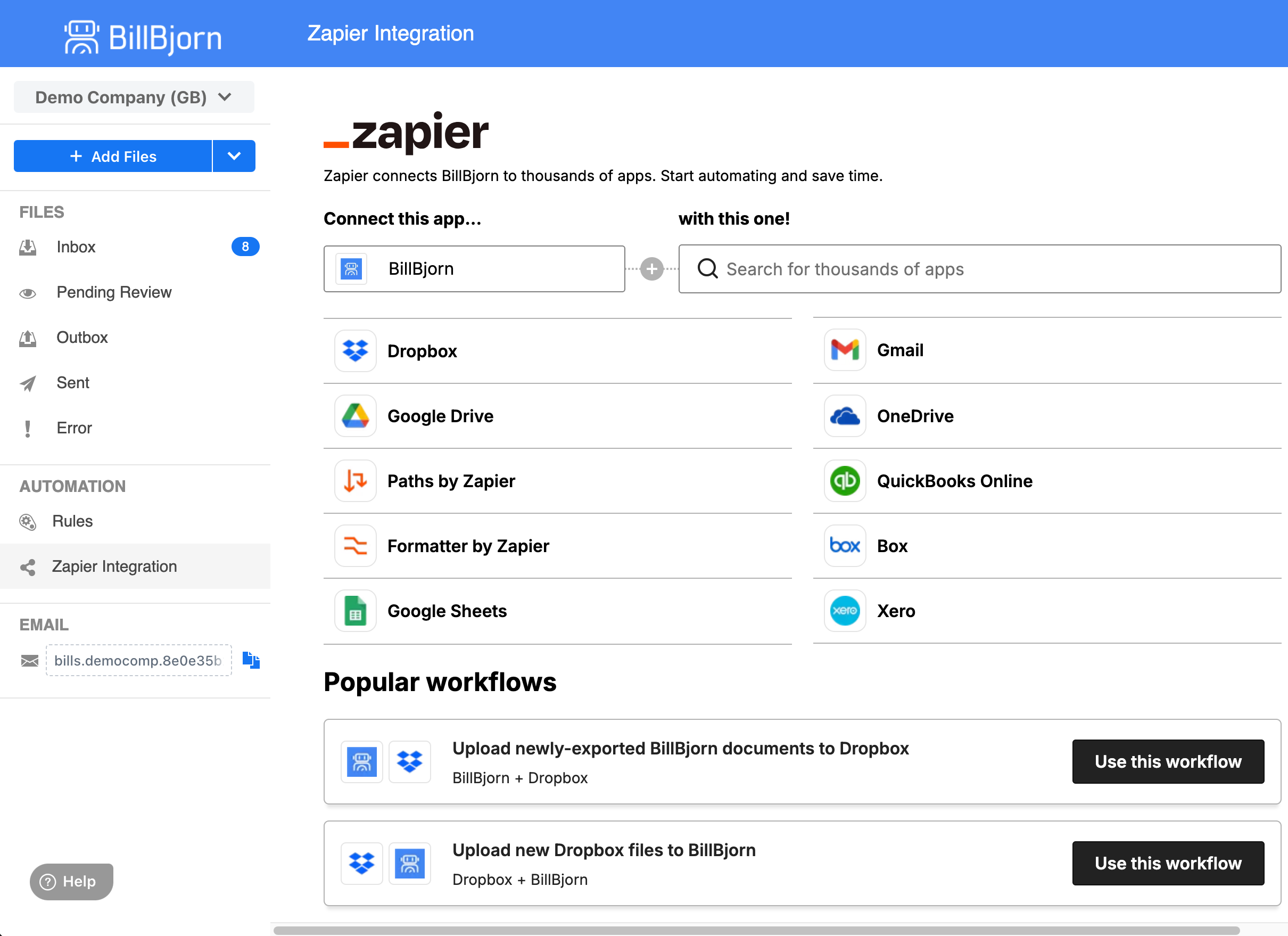
Your own invoice email address, Gmail and Outlook forwarding, the mobile app, desktop scanners, watched folders, and an API with Zapier.
Built for the people who enter the bills
For small businesses
Stop typing supplier bills at night. Invoices arrive by email, the mobile app or your scanner, and land in your books coded and checked.
- Your own invoice email address
- Mobile app for receipts on the go
- Unlimited users on every plan
For bookkeepers and accountants
Process bills for every client from one login, with each client’s own chart of accounts, tax codes and supplier rules.
- Switch between client companies in one login
- User roles for your team and your clients
- Partner plans for practices with 5+ clients
Mobile App
Receipts captured before they fade
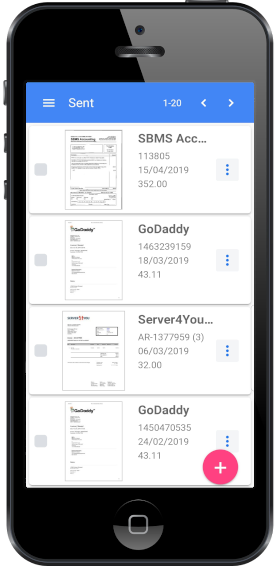
Snap receipts and invoices with the BillBjorn mobile app the moment you get them. They're read and coded like everything else, and you can review, approve and send from your phone.
Trusted Partner Integrations
Connect BillBjorn to your favorite cloud accounting software
Connect in a few clicks. Your suppliers, accounts and tax codes sync automatically, and on QuickBooks Online and Xero also classes, locations and tracking categories.
QuickBooks Online
Bills, expenses and vendor credits, coded to your accounts, classes, locations and customers, with the original attached. Scan invoices into QuickBooks Online.
Connect to QuickBooks OnlineLearn more
Xero
Bills as Draft or Awaiting Payment, spend money for paid receipts, and tracking categories, with the original attached. Scan invoices into Xero.
Connect to XeroLearn more
Sage Accounting
Purchase invoices and other payments coded to your ledger accounts and VAT rates, with the original attached. Scan invoices into Sage Accounting.
Connect to Sage AccountingLearn more
MYOB Business
Bills and spend money transactions coded to your accounts and tax codes, with the original attached. Scan invoices into MYOB Business.
Connect to MYOB BusinessLearn more
FreshBooks
Expenses with vendor, category and taxes filled in, and the receipt attached. Scan invoices into FreshBooks.
Connect to FreshBooksLearn more
Frequently asked questions
Common questions about BillBjorn. More in our knowledge base.
What does BillBjorn do?
BillBjorn reads supplier bills and receipts with AI, codes them to your accounts and tax codes with supplier rules, and sends them to your accounting software with the original attached. Routine bills can be sent automatically with Auto-Send; anything unusual waits for you with the reason.
Which accounting software does BillBjorn work with?
QuickBooks Online, Xero, Sage Accounting, MYOB Business and FreshBooks. BillBjorn syncs your suppliers, accounts and tax codes, so you pick from your own lists. Desktop products such as QuickBooks Desktop and Sage 50 aren't supported.
How do invoices get into BillBjorn?
Every company gets its own invoice email address, and you can forward from Gmail or Outlook automatically. You can also upload files, snap receipts with the mobile app, scan paper with a desktop scanner and Scan2Invoice, import from watched folders, or send files through the API and Zapier.
Does BillBjorn read line items?
Yes. From the Small plan, Auto-Code reads every line and groups it into your own categories, each with its account and tax code. Lines that fit no category are flagged rather than guessed.
Can bills be sent without anyone reviewing them?
Yes, for suppliers you switch on. Auto-Send, on the Medium and Large plans, sends a bill only when every safety check passes, including a maximum amount per supplier, duplicate checks and an independent AI review. Everything else is held for you with the reason.
What if the AI gets something wrong?
You check each bill next to the original before it's sent, unless Auto-Send is on for that supplier. Correct it once in the supplier rule and every later bill follows. Bills with warnings, such as possible duplicates or unmatched lines, are never sent automatically.
Is my data secure?
Documents are uploaded over encrypted connections and read by AI. There's no outsourcing and no people transcribing your invoices. Access is controlled with user roles, and the audit log records what happened to each document.
How is BillBjorn priced?
Plans are priced by documents per month, with no credits and unlimited users. An invoice counts as one document however many pages or lines it has. The pricing page shows the plans in your currency.
Is there a free trial?
Yes. Every plan starts with a free 30-day trial, and no credit card is required.