 How to Import PDF Invoices Into QuickBooks Online
How to Import PDF Invoices Into QuickBooks Online
Many small businesses receive supplier invoices as PDF files. While QuickBooks Online is excellent for managing accounting records, importing invoice data directly from PDFs can be challenging.
If your business processes invoices regularly, manually entering invoice details into QuickBooks can become time-consuming and error-prone.
The good news is that there are ways to import PDF invoices into QuickBooks Online without manual data entry using modern invoice OCR tools.
Why PDF Invoices Are Hard to Import Into QuickBooks
PDF invoices are designed primarily for human reading, not for automated accounting systems.
Even though the information appears clearly on the invoice, the data is stored as unstructured text. This makes it difficult for accounting software to automatically understand fields such as:
- supplier name
- invoice number
- invoice date
- subtotal and tax
- total amount
QuickBooks Online allows users to attach PDF invoices to bills, but the platform does not reliably extract invoice data from those documents.
As a result, many businesses still need to manually type invoice details when creating bills in QuickBooks.
Manual vs Automated Invoice Entry
Most QuickBooks users initially follow a manual workflow when entering supplier invoices.
A typical manual process looks like this:
- Open the PDF invoice
- Create a new bill in QuickBooks
- Manually type the vendor, amount, and due date
- Attach the PDF invoice
- Save the transaction
While this works, it can become inefficient when processing many invoices.
Common problems with manual entry include:
- time spent typing invoice details
- data entry mistakes
- duplicate invoices
- inconsistent formatting
Automated invoice processing solves these problems by allowing software to read invoice documents automatically.
Using AI OCR to Extract Invoice Data
Modern invoice automation tools use AI-powered OCR (Optical Character Recognition) to extract data from PDF invoices.
OCR technology reads the text from invoices and identifies important accounting fields such as:
- vendor name
- invoice number
- invoice date
- line items
- tax amounts
- invoice total
Once the data is extracted, it can be automatically transferred into QuickBooks Online as a bill or expense transaction.
The automated workflow typically looks like this:
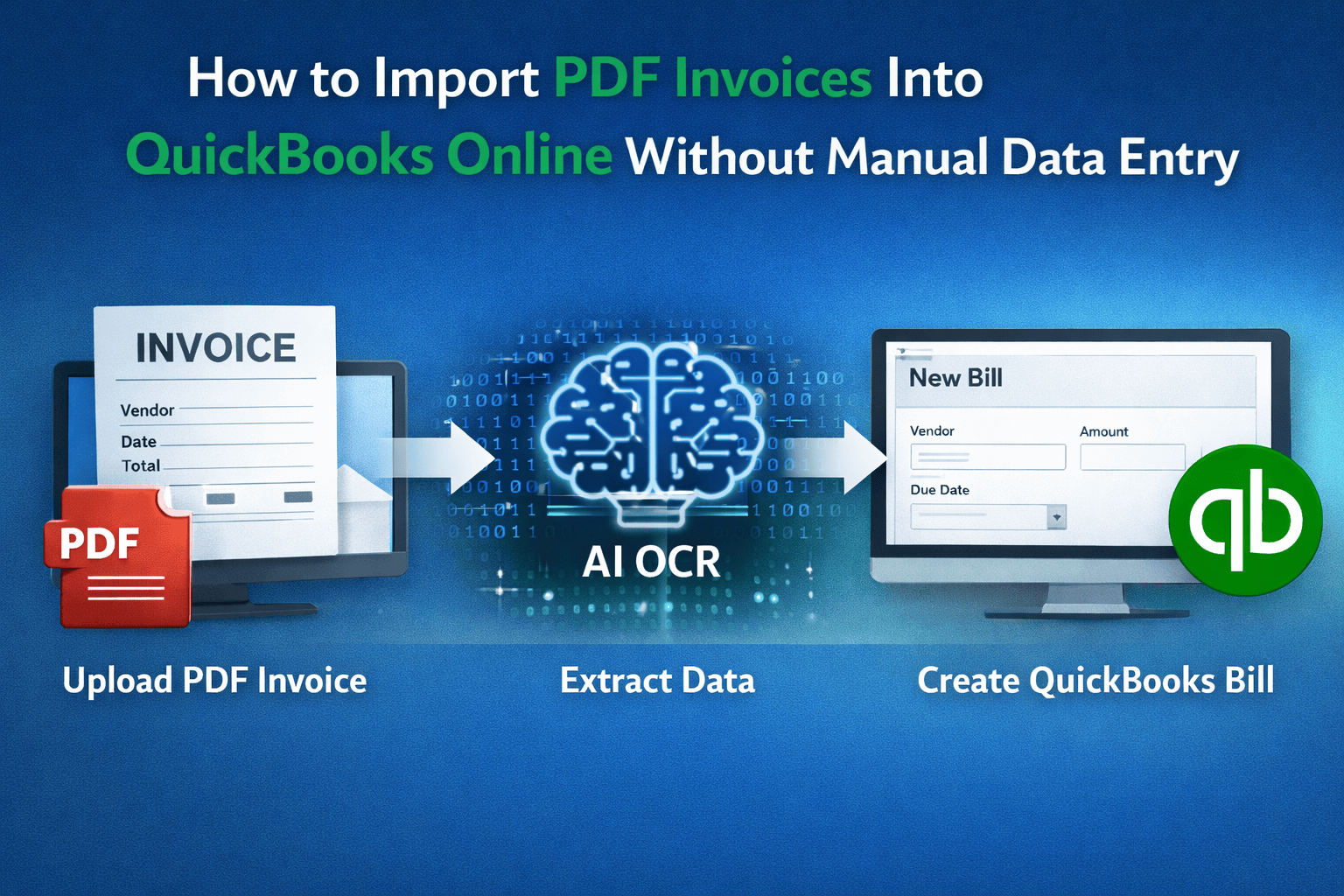
PDF invoice -> OCR extraction -> bill created in QuickBooks
Instead of manually entering invoice data, users simply upload the document and review the extracted information.
Tools like BillBjorn provide fast AI-powered invoice OCR designed specifically for QuickBooks Online workflows.
Step-by-Step Guide to Importing PDF Invoices
Here is how businesses typically automate invoice imports into QuickBooks.
1. Upload the invoice
Upload a PDF invoice through a web interface, drag-and-drop upload, or email forwarding.
2. Automatically extract invoice data
The OCR system reads the document and extracts important information such as:
- vendor name
- invoice date
- total amount
- tax information
3. Review extracted fields
Before sending the data to QuickBooks, users can review the extracted fields to ensure accuracy.
4. Create the bill in QuickBooks
The system sends the invoice data to QuickBooks Online, where it becomes a new bill or expense entry.
This automated workflow can significantly reduce the time spent on invoice bookkeeping.
Common Issues With PDF Invoice Imports
Businesses often run into several issues when trying to import invoices manually.
Inconsistent invoice formats
Suppliers use different invoice layouts, which makes it difficult for accounting software to automatically recognize fields.
Multi-page invoices
Long invoices containing multiple pages or line items can be difficult to process manually.
Data entry errors
Manual entry increases the risk of mistakes such as:
- incorrect totals
- wrong vendor names
- duplicated invoices
Invoice OCR automation helps reduce these issues by extracting information directly from the document.
Best Tools to Automate Invoice Imports
There are several tools that help automate invoice processing for QuickBooks users.
When evaluating invoice OCR tools, businesses often look for features such as:
- accurate invoice data extraction
- QuickBooks Online integration
- fast processing speeds
- support for multi-page invoices
- simple workflows for small businesses
Tools like BillBjorn focus on providing fast and simple AI OCR invoice scanning that automatically transfers invoice data into QuickBooks.
For small businesses and bookkeepers, this automation can dramatically reduce time spent on manual accounting tasks.
👉 Learn more at billbjorn.com

Frequently asked questions
Here are answers to common questions about QuickBooks Online. For more details, check our knowledge base.
Can you import PDF invoices directly into QuickBooks Online?
QuickBooks Online allows you to attach PDF invoices to bills or expenses, but it does not automatically extract the invoice data from the PDF. Most users still need to manually enter the invoice details unless they use an OCR automation tool.
Why can't QuickBooks read PDF invoices automatically?
PDF invoices contain text in an unstructured format. QuickBooks Online is primarily designed for accounting transactions and does not reliably extract structured data from invoices. OCR tools are typically used to read PDF invoices and convert them into accounting entries.
What is OCR invoice scanning?
OCR (Optical Character Recognition) is a technology that reads text from documents such as invoices or receipts. It extracts information like vendor name, invoice number, totals, and tax amounts, allowing the data to be automatically imported into accounting software.
What is the fastest way to enter PDF invoices into QuickBooks?
The fastest way is to use an AI OCR invoice scanning tool. These tools read the PDF invoice, extract the data automatically, and create a bill in QuickBooks Online, eliminating manual typing.
Do accountants use invoice OCR tools with QuickBooks?
Yes. Many accountants and bookkeepers use OCR tools to automatically process supplier invoices and receipts. This reduces manual bookkeeping work and helps prevent data entry errors.
Can OCR tools import invoices from email into QuickBooks?
Yes. Many invoice OCR tools allow users to forward invoices from email, automatically scan the document, and create a bill in QuickBooks Online without manual data entry.