Split Invoice Lines Automatically
Automatically organise invoice lines
AutoCode turns messy invoice lines into clean, ready-to-use totals.
It:
- Understands each item on the invoice
- Assigns a category
- Groups similar items together
What you get is a simple, fully coded invoice with no manual splitting required.
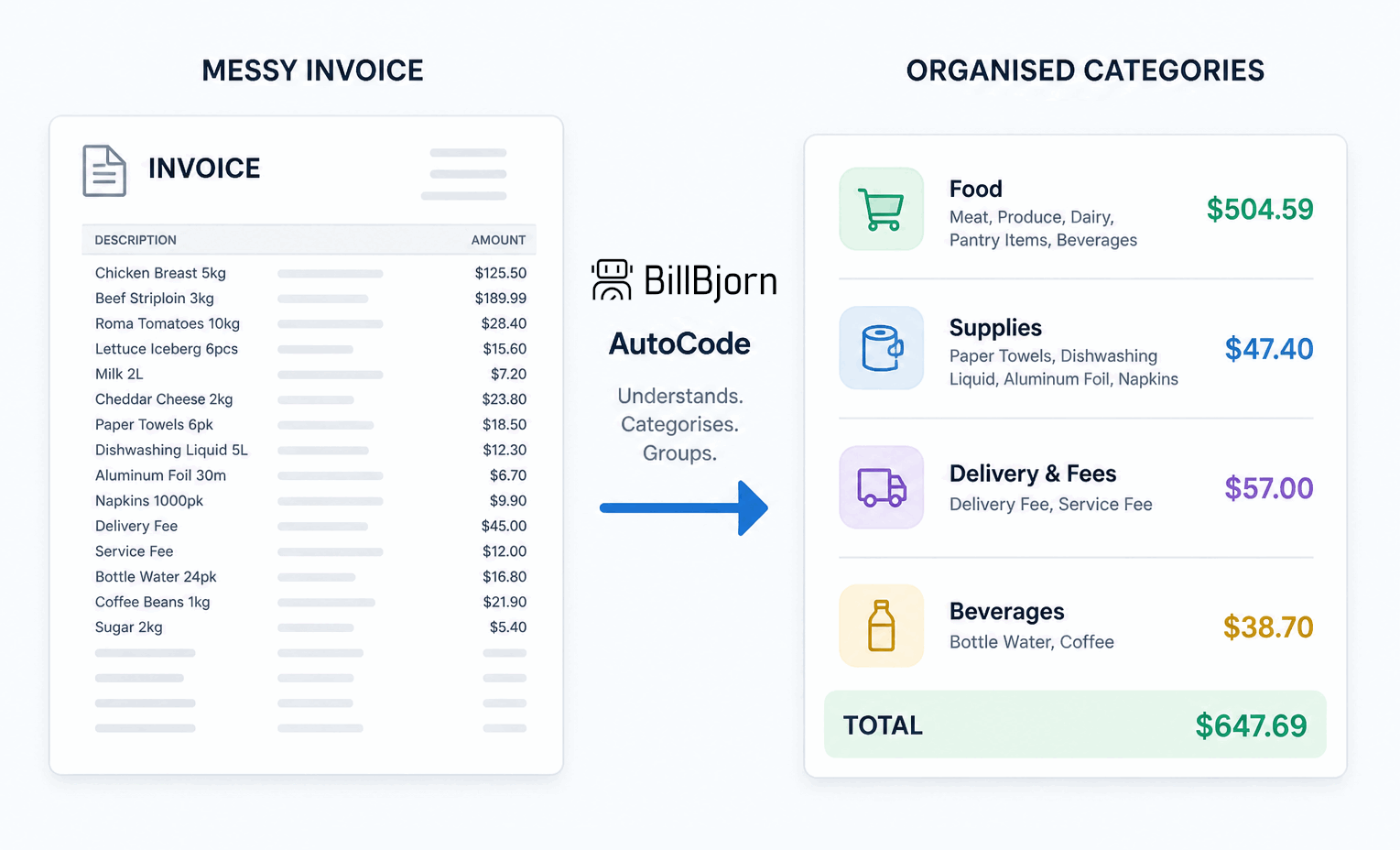 Turn messy invoices into organized categories
Automatically Split and Code Invoice Lines
BillBjorn lets you split invoice lines automatically and assign the correct accounting categories in seconds.
Using AutoCode, BillBjorn:
- Detects categories within invoice lines
- Splits the invoice into structured entries
- Assigns the correct accounts
- Prepares everything for export to your accounting system
What used to take minutes per invoice now takes seconds.
See How It Works
In the example shown:
- A single invoice line contains mixed items
- BillBjorn detects multiple categories automatically
- The system generates a suggested split with totals
- With one click, the invoice is fully coded
No manual splitting. No repetitive data entry.
Built for Real-World Invoices
BillBjorn works from the original invoice document, not just the line description.
This allows it to handle:
- Combined supplier charges
- Inconsistent or unclear descriptions
- Multi-category purchases
Even when invoices are messy, the output stays structured and accurate.
Consistent Results with AI Matching Hints
AutoCode includes AI Matching Hints to guide how categories are assigned.
You define simple hints such as:
- Office Supplies → cleaning, paper, supplies
- Delivery Fees → shipping, courier
This ensures:
- Higher accuracy
- Consistent categorisation
- Predictable results across invoices
You stay in control while automation does the heavy lifting.
Automate Invoice Processing at Scale
Once configured, AutoCode can be reused across future invoices.
- Apply automatic splitting instantly on all plans
- Create advanced rules on Medium and Large plans
- Reduce manual coding over time
As volume grows, your workload doesn’t.
From Review to Done in One Click
By the time you reach the review screen:
- Invoice lines are already split
- Accounts are already assigned
All that’s left is a quick review…
…and one click to send everything to your accounting system.
Why Bookkeepers Use BillBjorn
- Save hours of manual data entry
- Eliminate repetitive line splitting
- Improve accuracy across invoices
- Maintain consistent coding standards
- Process more invoices in less time
Start Splitting Invoice Lines Automatically
Stop manually breaking down invoice lines.
Let BillBjorn AutoCode handle the complexity so you can focus on higher-value work.
👉 Try it on your next invoice and see the difference.

Frequently asked questions
Here are answers to common questions about splitting invoice lines automatically. For more details, check our knowledge base.
What does it mean to split invoice lines automatically?
Splitting invoice lines automatically means breaking down a single invoice line that contains multiple items into separate, correctly categorised entries. This removes the need for manual splitting and coding.
How does BillBjorn split invoice lines?
BillBjorn analyses the original invoice document using AI to detect different expense categories within a line. It then creates a suggested split and assigns the correct accounting codes to each part.
Does AutoCode work on messy or unclear invoices?
Yes. BillBjorn works from the full invoice document, not just the line description. This allows it to accurately split and categorise invoices even when descriptions are unclear or inconsistent.
What are AI Matching Hints in BillBjorn?
AI Matching Hints are simple keywords or phrases you define to guide how invoice data is categorised. They help improve accuracy and ensure consistent coding across invoices.
Is the AutoCode feature available in all plans?
Basic AutoCode in the review screen is available on all plans, allowing you to split and code invoice lines instantly. The fully automated and configurable AutoCode rules feature is available on Medium plans or higher.
Can I automate invoice line splitting for future invoices?
Yes. On Medium and higher plans, you can create AutoCode rules that automatically split and code invoice lines for recurring suppliers, reducing manual work over time.